Break a Sonic Block Official Resources & Trust Guide
How to find the real experience, group pages, and which outside sites to trust.
Searching Break a Sonic Block returns official Roblox pages, fan wikis, gameplay uploads, code lists, and the occasional phishing clone. This page is the trust ladder: how to land on the real experience by very tuff games, what group surfaces to follow, and how to separate first-party facts from helpful-but-unofficial guides like this wiki.
Core identifiers stay stable even when Discover titles rotate: place 121549070029046, universe 9760889718, release 2026-02-20, max 5 players, simulation/tycoon loop with crushers, plot cash, offline earnings, and Chaos Emerald timing. Start from the Links Hub if you only need the raw URLs.
Step 1 — Open the official experience
- Go to Break a Sonic Block on Roblox.
- Confirm the numeric place ID in the URL matches
121549070029046. - Check the creator line for very tuff games.
- Favorite and join from that page rather than from a random sponsored tile that only reuses Sonic art.
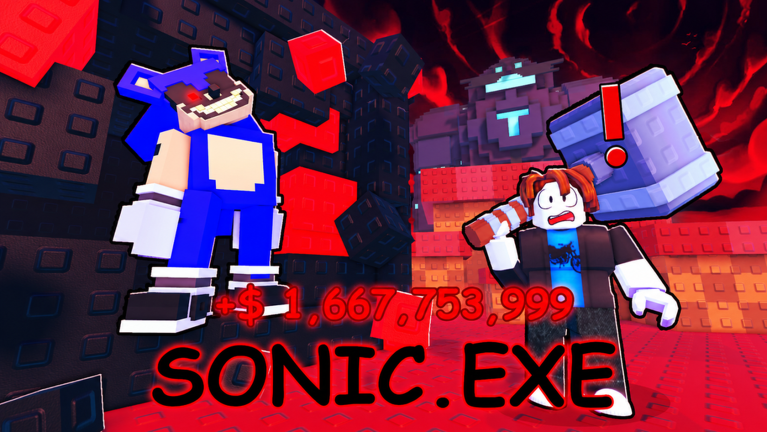
If the listing title includes prefixes such as [ULTRA], [SONIC.EXE], [DARKSPINE], or [SUMMER], that is normal marketing rotation for the same place—see Seasonal Titles. A different place ID with a similar name is not the same game.
Step 2 — Find the developer group
On the experience page, open the creator or group profile linked by Roblox. Follow very tuff games for shouts, sibling experiences, and occasional patch hints. Group walls and group games lists are safer discovery channels than unverified Discord DMs.
When a patch lands, still verify systems in-client: Codes button rewards, emerald spawn cadence, and steal behavior can differ from a short shout. Cross-read Updates and Codes after you join.
Step 3 — Social links without invented invites
Community trackers sometimes mention a Discord named Break a Sonic Block. Invite links rot, get hijacked, and appear in scam bios. This wiki will not invent or hardcode invite URLs. Instead:
- Check the Roblox game page for connected social links.
- Check the very tuff games group description and shouts.
- Prefer links that open from Roblox’s own UI over links pasted by strangers in random servers.
If no invite is published in those places, play without Discord. Nothing about crushers, codes, or Hyper forms requires a third-party chat account.
What to trust versus fan resources
Trust first (official):
- Roblox experience page and place ID above
- In-game Codes UI, Crusher Shop, and plot systems
- very tuff games group surfaces on Roblox
Trust second (verified fan documentation):
- This site’s hubs for structured guides, with clear unofficial labeling on the Wiki Hub
- Gameplay videos that show the real HUD without executor overlays
Treat cautiously:
- Tier lists with no date and no place ID
- “New codes” posts that omit punctuation on
1500LIKES!style rewards - Script sites promising undetectable autoskill steal bots
Avoid:
- Login lookalikes that are not on
roblox.com - Free Robux forwards tied to the game name
- Anyone asking for your password, backup codes, or
.ROBLOSECURITYcookie
How this wiki fits the ladder
breakasonicblock.wiki is an unofficial fan project. We document codes, guides, tier thinking, and updates for players, but we do not replace Roblox or very tuff games. When live client behavior disagrees with an article, the client wins—then we revise. Editorial boundaries and starting routes are summarized on the Wiki Hub.
Practical handoffs after you confirm official links:
- Redeem on Codes before major shop spends.
- Learn the loop via Guides and Getting Started.
- Track Hyper and patch context on Updates.
- Return here whenever a friend sends a suspicious “new official” URL.
Quick verification checklist
- URL contains place
121549070029046. - Creator shows very tuff games.
- HUD includes familiar Codes / crusher / plot patterns after join.
- Seasonal title text alone does not panic you into a copycat.
- No page asked for your Roblox password to “claim Hyper Sonic.”
Related pages
- Links Hub — outbound map and wiki index
- Codes Hub — active redeemables
- Updates Hub — live change tracking
- Wiki Hub — about this fan resource
- Seasonal Titles — listing prefix explainer
Find the real place once, favorite it, and treat every future “official” link as guilty until the place ID matches. That habit protects your account better than any steal guide or coil combo tip on this wiki.
Frequently Asked Questions
Quick answers for Break a Sonic Block players.
How do I know I opened the official Break a Sonic Block?
Match place ID 121549070029046 and creator very tuff games on the Roblox experience page, then confirm the familiar crusher and plot loop in-game.
Where do I find the developer group?
Open the creator or group link from the official Roblox experience page and follow very tuff games there.
Why is there no Discord invite on this page?
Invite URLs change and are often spoofed. Check Roblox game social links and the group page instead of trusting invented invites.
Is breakasonicblock.wiki official?
No. It is an unofficial fan wiki. Official play links and group pages live on Roblox; see also the Wiki Hub.